Executive Lead: Stealth and Redundancy in Modern Living-off-the-Land Operations
Threat intelligence researchers at Securonix have uncovered an evasive multi-stage malware campaign tracked as TASK#STOMP. Operating across enterprise Windows environments, the intrusion set delivers a sophisticated PowerShell backdoor architected to harvest sensitive intellectual property, corporate documents, network credentials, and real-time telemetry while evading Endpoint Detection and Response (EDR) sensors.
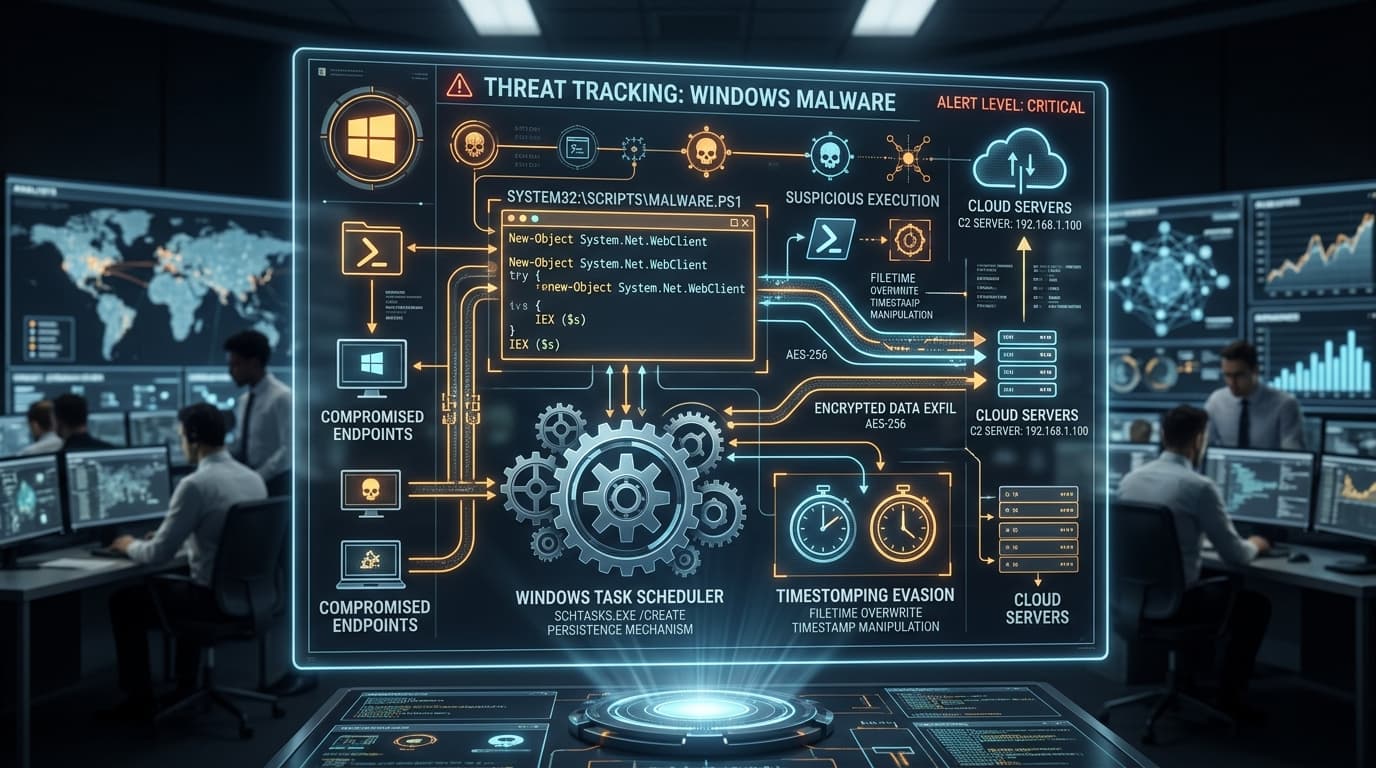
The campaign distinguishes itself by coupling extensive Living-off-the-Land (LotL) execution—relying almost exclusively on native Windows administrative binaries like wscript.exe, schtasks.exe, and powershell.exe—with layered anti-forensic persistence techniques. By establishing four separate masqueraded Scheduled Tasks, modifying file metadata timestamps (timestomping), and configuring a mutual process watchdog between dual decoupled PowerShell scripts, the operators behind TASK#STOMP ensure uninterrupted access even when individual execution branches are terminated or manually investigated by SOC personnel.
Infection Vector & Stage 1: VBScript Orchestration via WSH
The initial execution chain is triggered when a randomized Visual Basic Script (VBScript) file (such as 95c9050t66.vbs) is executed via the Windows Script Host (wscript.exe) on the victim's endpoint. Forensic analysis indicates initial delivery likely occurs via spearphishing attachments or drive-by downloads delivering archive wrappers.
The VBScript acts as the master orchestrator, handling system reconnaissance, payload staging, and initial persistence configuration before executing clean-up operations. Its primary execution flow performs the following tasks:
- Process Termination: Scans running processes and forcibly terminates pre-existing PowerShell instances matching specific argument substrings to ensure a single active control session.
- Directory Staging: Creates hidden operational directories within
%APPDATA%or%LOCALAPPDATA%to drop obfuscated binary data payloads (diag_pack.datandwin_conn_cfg.dat). - Dual Persistence Installation: Registers four distinct Scheduled Tasks and copies a backup VBScript loader (
msdiag.vbs) to the current user's Windows Startup folder (%APPDATA%\Microsoft\Windows\Start Menu\Programs\Startup).
Persistence Architecture: Scheduled Tasks Masquerading and Timestomping Evasion
To blend seamlessly with legitimate Windows operating system components, the malware registers four scheduled tasks with deceptive service descriptions. This tactic abuses human administrative trust during manual triage and allows the backdoor to survive endpoint reboots:
| Scheduled Task Name | Masqueraded Legitimate Service | Trigger Condition | Action Executed |
|---|---|---|---|
Local Credential Manager |
Windows Credential Manager / Vault | At user logon & hourly | Launches hidden PowerShell loader module |
Network Audio Service |
Windows Audio Endpoint Builder | At system startup | Spawns primary surveillance and exfiltration engine |
Windows Display Manager |
Desktop Window Manager (DWM) | Every 30 minutes | Validates watchdog process status |
Device Credential Handler |
Windows Hello / Passport Credential Service | Daily recurring | Secondary C2 check-in beacon |
Immediately following task creation via schtasks.exe /create, the installer executes a timestomping routine. By querying the timestamp properties of legitimate core binaries in C:\Windows\System32\ntdll.dll or kernel32.dll, the script overwrites the CreationTime, LastWriteTime, and LastAccessTime file attributes on all dropped artifacts. This renders standard timeline-based forensic disk triage ineffective, as the dropped scripts appear to have been created during initial Windows OS installation.
Dual Modular Payloads: Mutual Watchdog Architecture
Following persistence installation, the orchestrator launches two independent, hidden PowerShell processes running separate modules:
# Executing decoupled modules with hidden window parameters
powershell.exe -NoProfile -ExecutionPolicy Bypass -WindowStyle Hidden -File "C:\Users\\AppData\Local\sys_loader.ps1"
powershell.exe -NoProfile -ExecutionPolicy Bypass -WindowStyle Hidden -File "C:\Users\\AppData\Local\win_conn.ps1"
The two modules operate in a resilient mutual-watchdog relationship:
- Module A (
sys_loader.ps1): Reads and decryptsdiag_pack.datusing XOR and Base64 routines, launching the primary surveillance, file-system watcher, and credential theft threads. In its main background loop, it queries the Windows process table every 60 seconds for the existence ofwin_conn.ps1. If the partner process is missing, it immediately respawns it. - Module B (
win_conn.ps1): Readswin_conn_cfg.datto establish a persistent HTTP/HTTPS Command and Control (C2) communication channel with fallback domains. Concurrently, it checks whethersys_loader.ps1is alive. If an administrator terminatessys_loader.ps1,win_conn.ps1re-executes it from disk or re-creates it from memory.
This decoupled design ensures that closing or killing one PowerShell process does not terminate the malware session, creating substantial operational hurdles for incident responders who attempt process termination without simultaneously unhooking scheduled tasks.
Data Harvesting Engine: Real-Time Document Watching, Wi-Fi Profiles & Clipboard Exfiltration
The core functional payload embedded inside diag_pack.dat initiates extensive intelligence collection targeting confidential enterprise records:
- Real-Time FileSystemWatcher: Rather than performing noisy, scheduled full-disk scans, the script establishes a .NET
System.IO.FileSystemWatcheron common user folders (Desktop,Documents,Downloads, and mapped network drives). When files with extensions like.docx,.xlsx,.pdf,.kdbx, or.txtare created or modified, they are automatically queued for compression and exfiltration. - Wi-Fi Credential Extraction: The backdoor queries saved wireless profiles and extracts plaintext passphrases using native command invocation:
netsh wlan show profiles netsh wlan show profile name="" key=clear - Clipboard & Screen Surveillance: Periodically polls the Windows clipboard via Windows Forms / PresentationCore assemblies, capturing copied passwords, session cookies, and authentication codes. It also captures desktop screenshots at designated intervals.
- Token-Authenticated C2 Protocol: Exfiltrates collected intelligence over TLS to C2 infrastructure (
corecloudfileshare[.]xyzandattachmentsharingdrive[.]xyz) using HTTP POST requests bearing hardcoded session bearer tokens in the authorization header.
Decoy Tactics, Geopolitical Traces & Clean-Up Routines
In the concluding stage of the initial installation sequence, the orchestrator script executes an unexpected user-facing action: it invokes Google Chrome to open a specific URL on irantenders[.]com, an online repository tracking government procurement contracts and public sector tenders in Iran.
Security analysts note that while the invocation of an Iranian public tender portal could represent targeted reconnaissance against contractors doing business in the region, it may also serve as an intentional false flag or distraction designed to obscure the background execution of the PowerShell payload.
Concurrently, the installer executes a batch script (purge.bat) that sleeps for two seconds before deleting the initial staging VBScript file and cleaning temporary log entries, minimizing the endpoint's forensic footprint.
Detection Engineering & SOC Mitigation Playbook
Defenders can identify and neutralize TASK#STOMP activity using the following detection signatures and mitigation strategies:
1. PowerShell Script Block Logging (Event ID 4104)
Enable Script Block Logging via Group Policy (Computer Configuration -> Administrative Templates -> Windows Components -> Windows PowerShell -> Turn on PowerShell Script Block Logging). Query SIEM logs for characteristic API and command sequences:
# Query for FileSystemWatcher instantiation and netsh key exfiltration
index=windows EventCode=4104
(
  "System.IO.FileSystemWatcher" OR
  "netsh wlan show profile" OR
  "key=clear" OR
  "corecloudfileshare" OR
  "attachmentsharingdrive"
)
2. Scheduled Task Creation Audit (Event ID 4698)
Monitor Windows Security log for Event ID 4698 where task actions launch PowerShell with hidden window parameters from user-writable directories:
# Sigma rule logic for suspicious scheduled tasks
detection:
  selection_event:
    EventID: 4698
  selection_command:
    - 'powershell.exe'
    - 'wscript.exe'
  selection_args:
    - '-WindowStyle Hidden'
    - 'AppData'
  condition: selection_event and (selection_command and selection_args)
3. Incident Response & Artifact Eradication Checklist
| Action | Target Artifact / Location | Command / Verification |
|---|---|---|
| 1. Remove Tasks | Scheduled Tasks Scheduler | schtasks /delete /tn "Local Credential Manager" /fschtasks /delete /tn "Network Audio Service" /fschtasks /delete /tn "Windows Display Manager" /fschtasks /delete /tn "Device Credential Handler" /f |
| 2. Kill Processes | PowerShell Watchdog Tree | Stop-Process -Name powershell -Force (Simultaneously across all endpoints) |
| 3. Delete Startup Script | User Startup Folder | Remove %APPDATA%\Microsoft\Windows\Start Menu\Programs\Startup\msdiag.vbs |
| 4. Block Network C2 | Perimeter Firewall / DNS Sinkhole | Block domains: corecloudfileshare[.]xyz, attachmentsharingdrive[.]xyz |